 Meridian
Your Apple Health, finally explained.
Meridian turns the data your Apple Watch already records into Recovery, Sleep and Strain scores measured against your baseline, then explains, predicts and coaches, all on your iPhone.
Population averages tell you nothing about you.
Every night is compared with your own 28-day baseline and a 90-day norm. A resting heart rate of 58 is great for one person and a warning for another; Meridian knows which you are.
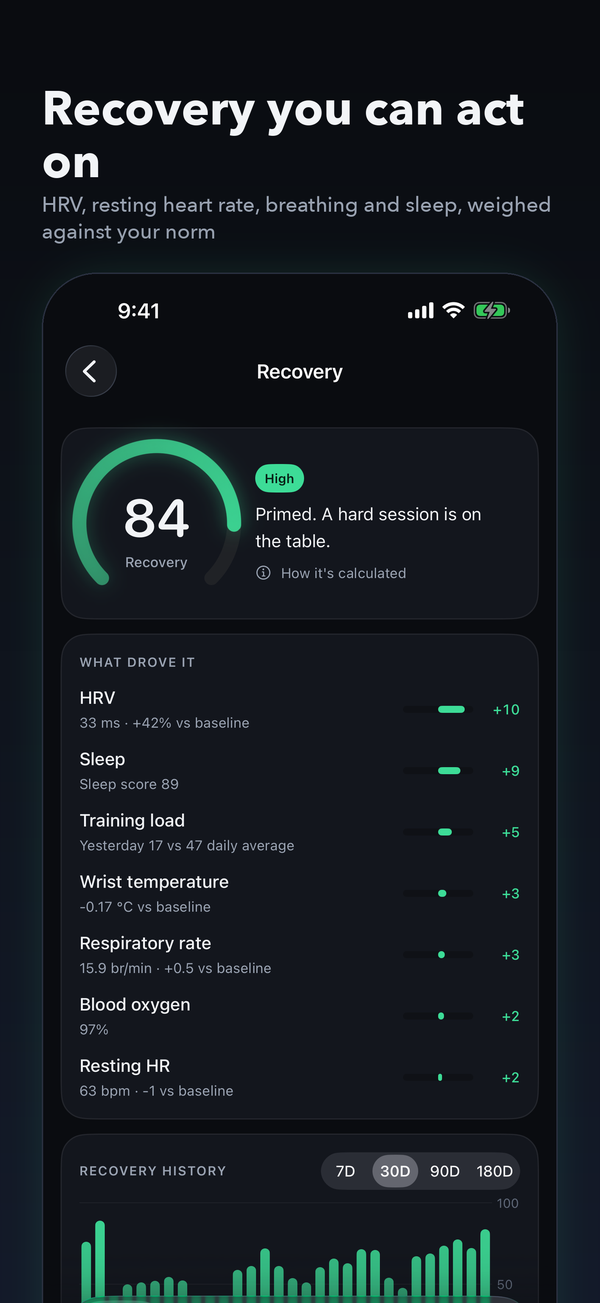
How ready you are
HRV, resting heart rate, respiratory rate, wrist temperature and sleep, each weighed against your baseline and explained factor by factor.
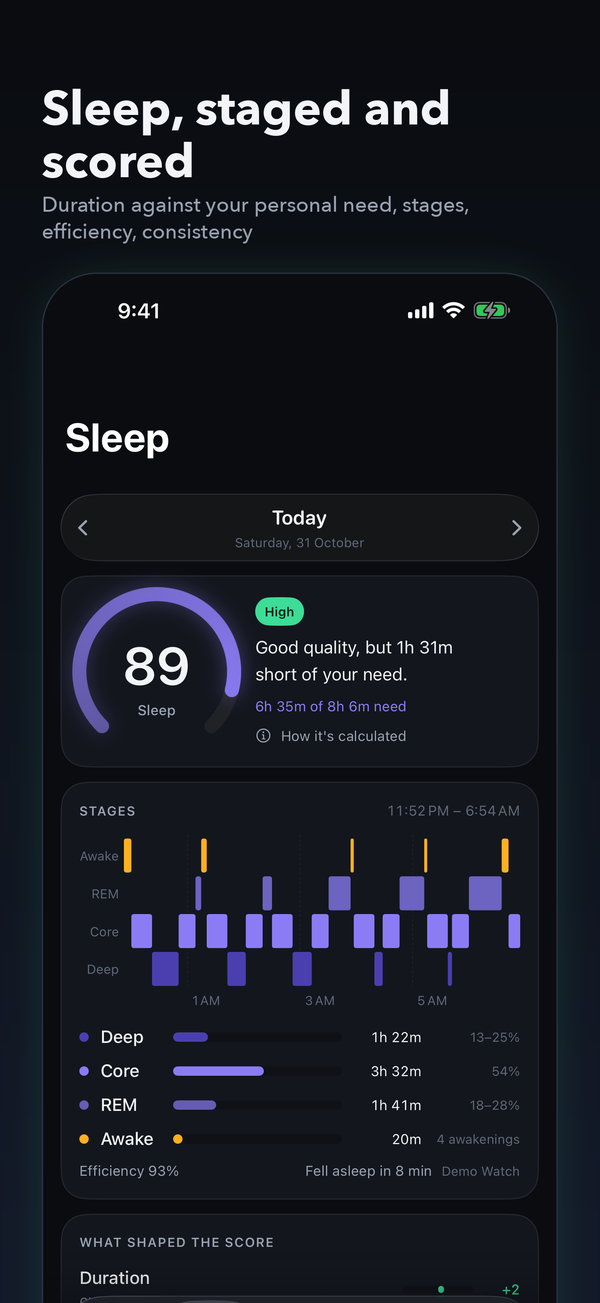
How well you slept
Duration against your personal need, stages, efficiency, consistency and timing, with a smart alarm that works backwards from need.
How hard you went
Cardio and muscular load from heart rate and workouts, with a target band for the day set by your Recovery.
A read of your day that changes with the day.
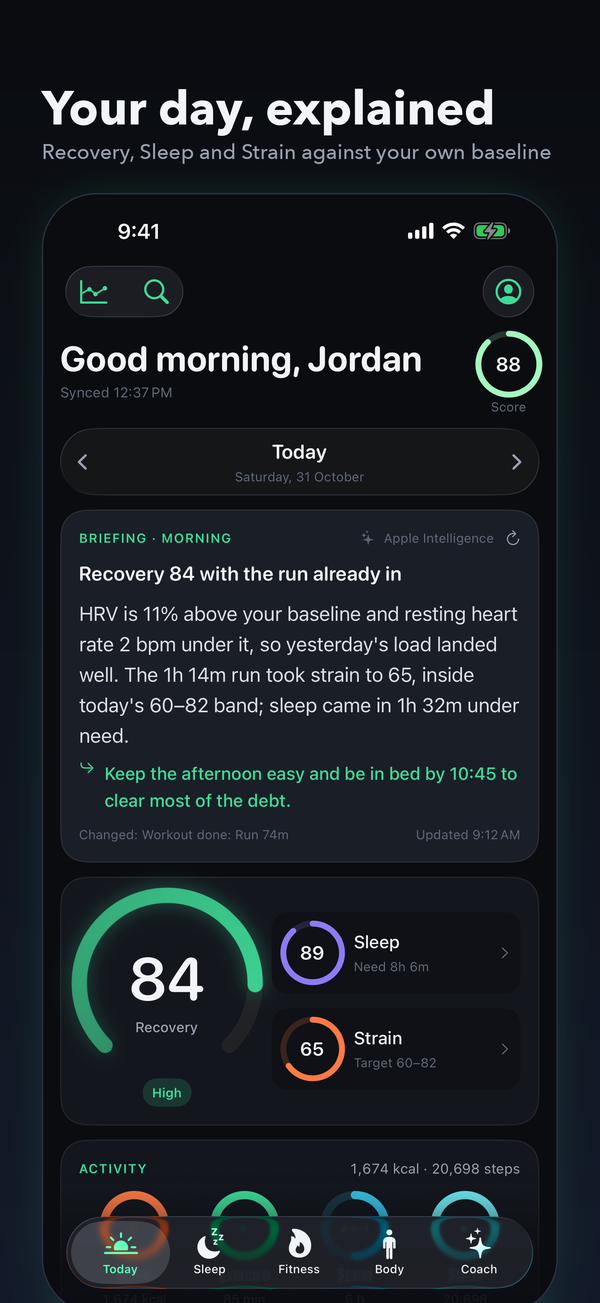
Written by Apple Intelligence on your iPhone from your own numbers. It knows what time it is, what you've already done, and what changed since the last one.
HRV is 11% above your baseline and resting heart rate 2 bpm under it, so yesterday's load landed well. Sleep came in 1h 32m under need.
Strength 51m done. Steps 8,398, stress 13. Week: 85 of 150 WHO minutes.
Need tonight is 9h 4m. Lights out by 11:18 PM clears a good share of it.
Then it explains, predicts and coaches.
Coach
Ask anything about your data and get answers grounded in your own scores and history. On-device, private.
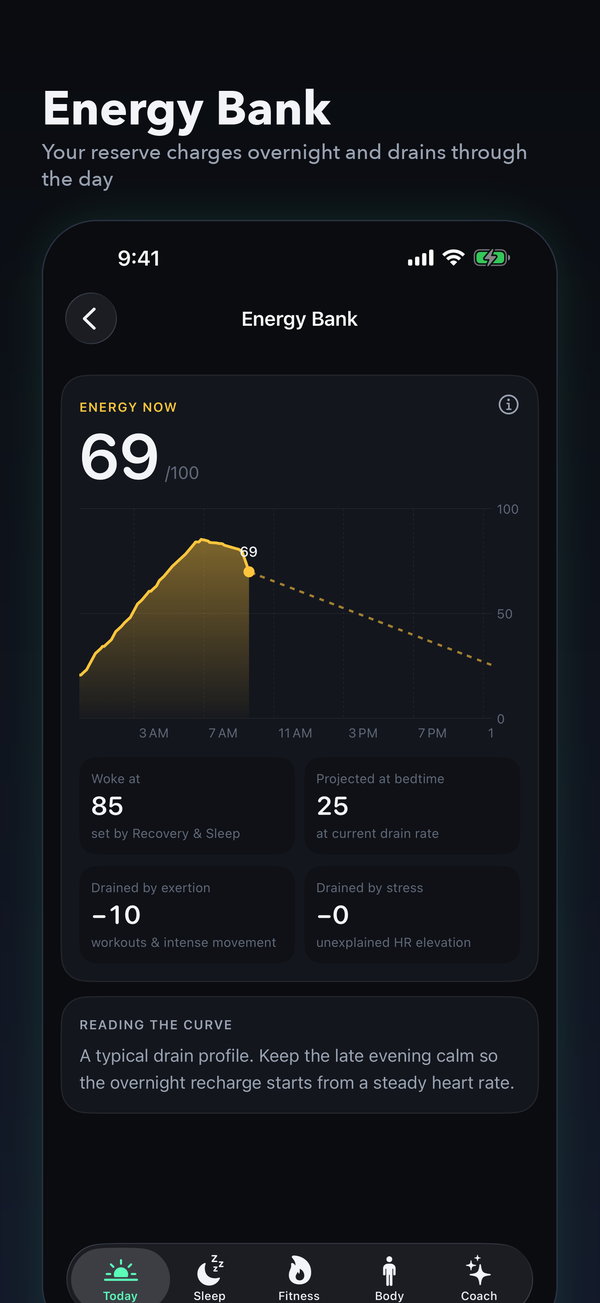
Energy Bank
Your reserve charges overnight and drains through the day, projected to bedtime.
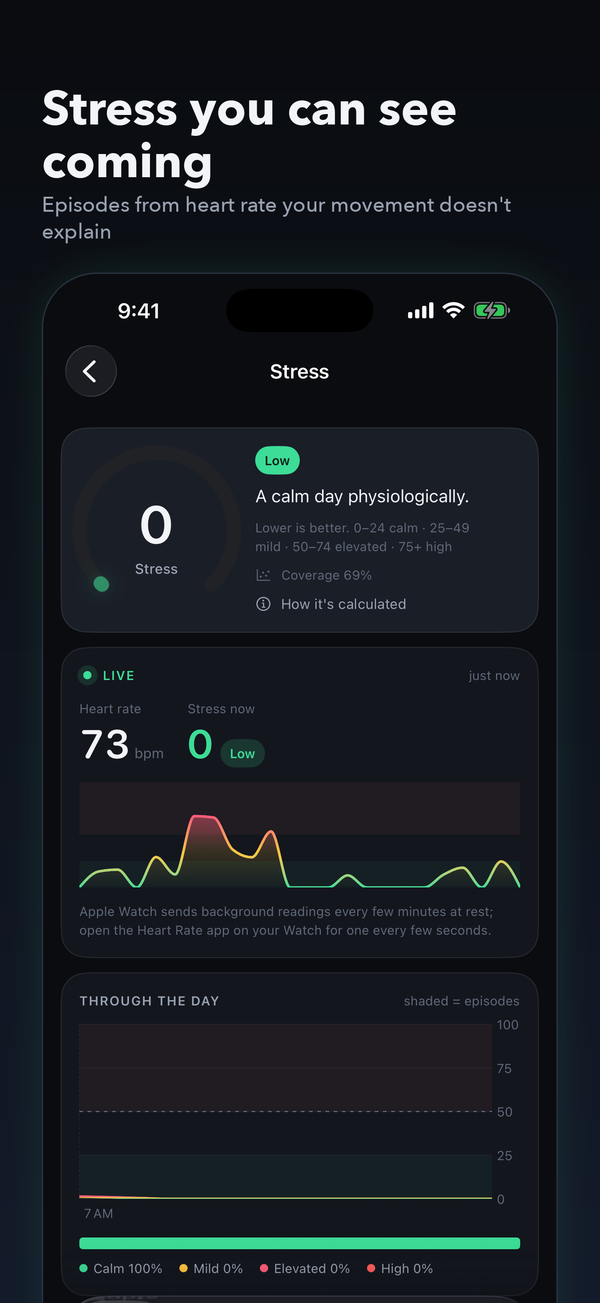
Stress
Episodes detected from heart rate your movement doesn't explain, and what brings it down.
Daily Balance
Load against capacity, day by day, so a hard week shows before it costs you.
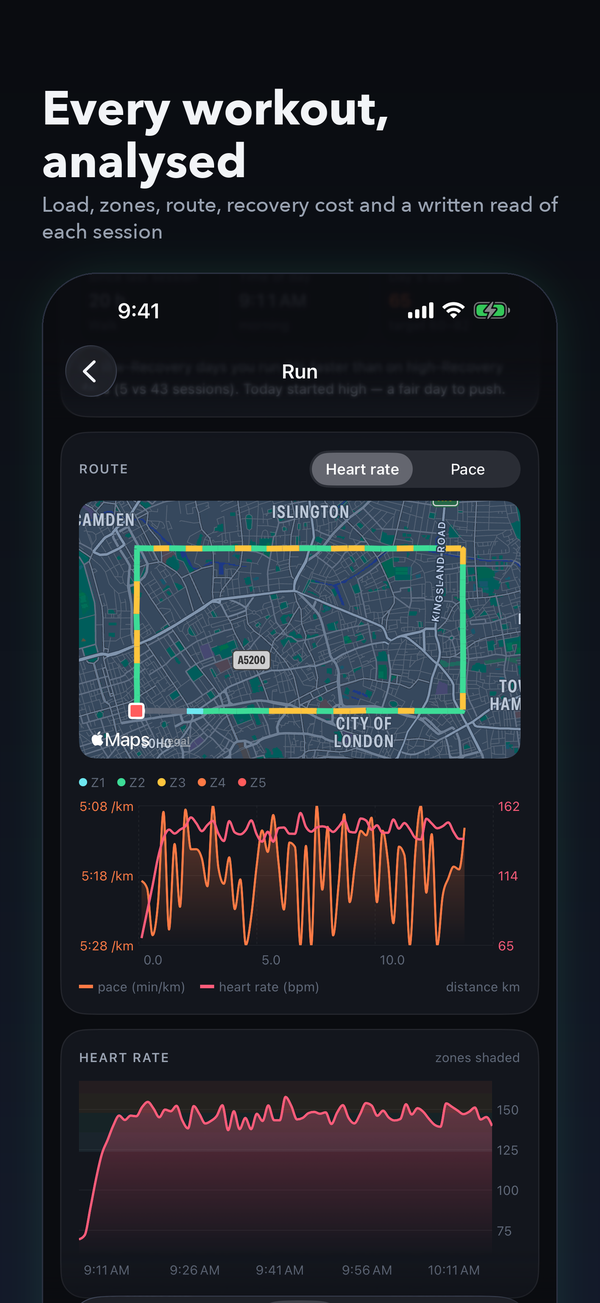
Workout analysis
Load accumulation, zones, route maps coloured by pace or zone, recovery cost, trends and a written read of each session.
Training & planner
A target strain band, training load, WHO minutes and a planner that checks itself off from Apple Health.
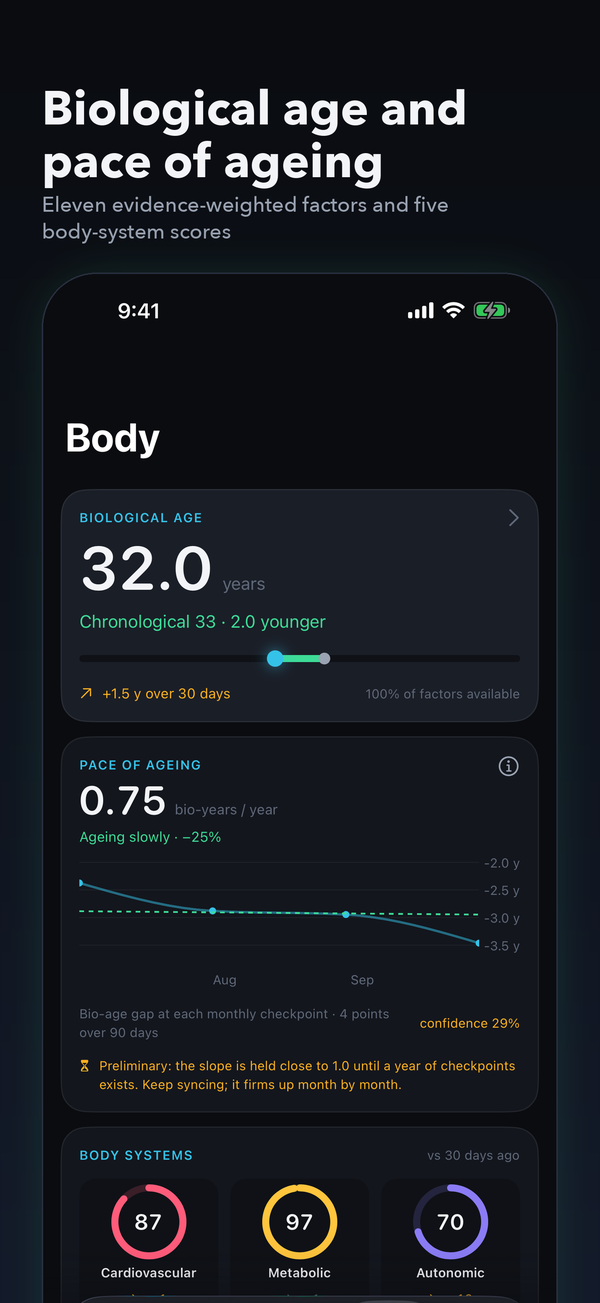
Biological age
Eleven evidence-weighted factors, PhenoAge from a scanned lab report, and your pace of ageing month by month.
Body systems
Cardiovascular, metabolic, autonomic, respiratory and musculoskeletal scores with 13-week trends.
Also: sleep stages against your norm and overnight breathing disturbances · personal response curves (how late nights, hard days and short sleep move your HRV) · vitals against your norm · blood-pressure trends · weight and BMI history · lab import with on-device OCR · streaks and milestones · weekly report · 180-day trends.
Designed to be read in ten seconds.
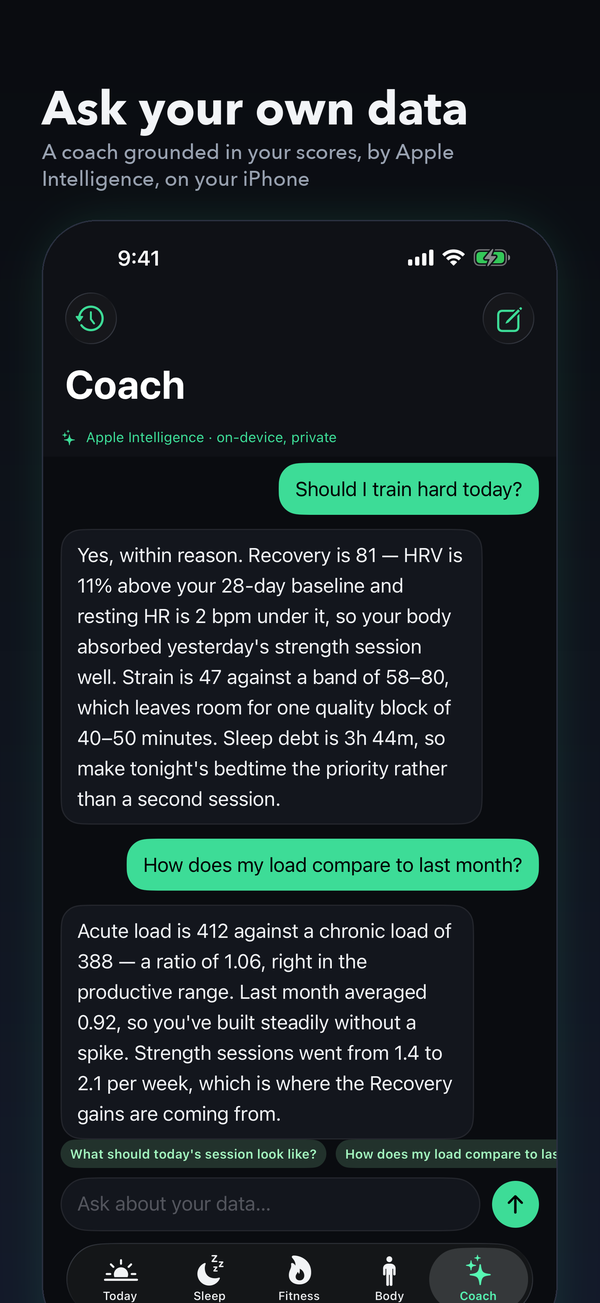
Ask your own data.
The coach answers from your scores, baselines and the last week of history, using Apple Intelligence on the iPhone. Nothing is sent to a server, and it never guesses at numbers it doesn't have.
Link Apple Health. That's the setup.
Link Apple Health
Meridian reads sleep, heart rate, HRV, workouts, activity, respiratory rate, wrist temperature and more, with your permission, on the device. Any wearable that writes to Apple Health works.
Your baseline builds itself
The last week is read in seconds, then up to 180 days in the background. With existing Apple Health history your scores are personal from day one.
Every morning, a read
Three scores, what drove them, a target for the day, and a briefing that updates as the day unfolds and as workouts and sleep land.
Every score shows its working.
No black box. Each score lists what drove it and by how much, and the methods are the published ones.
Your baseline, not a population
A 28-day rolling baseline for readiness and a 90-day norm for trends, computed from your own nights. New users get age norms only until a week of data exists.
Strain from heart rate, not steps
Cardio load uses training impulse from time in heart-rate zones; muscular load comes from strength work. The target band is set by this morning's Recovery.
Biological age in years, from hazard ratios
Each factor's published all-cause-mortality hazard ratio is converted to years of ageing, capped, and shrunk toward zero when data is incomplete.
Stress you can see
Heart rate that your movement doesn't explain, above your baseline for long enough to matter, becomes an episode with a start and an end.
Response curves learned from you
How late nights, late workouts, short sleep and hard days moved your HRV and Recovery the next morning, with a confidence level that grows with evidence.
Guidelines where they exist
WHO's 150 weekly minutes, two strength sessions, ACC/AHA blood-pressure stages, Friel heart-rate zones from a threshold estimate.
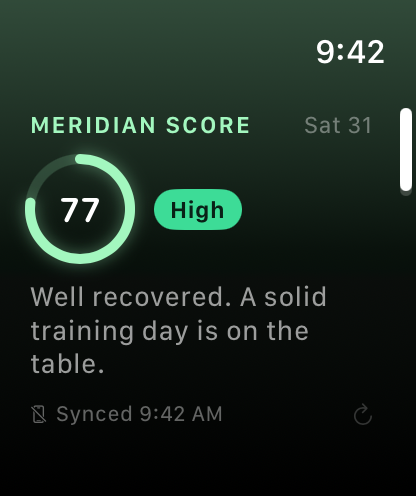
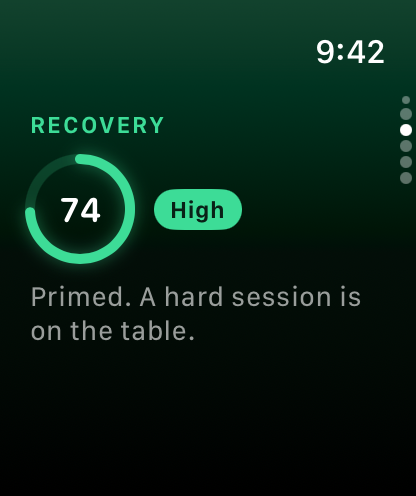
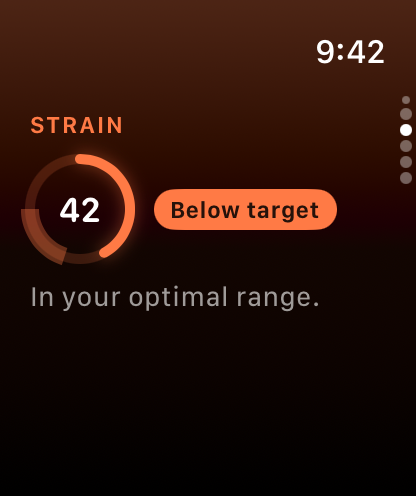
Every score on your wrist.
The Watch app shows Recovery, Sleep, Strain, Stress and Energy at a glance, with a page per score and complications for the watch face. Home Screen and Lock Screen widgets carry the day's numbers and the briefing's headline. Free.
Nothing leaves your iPhone.
Health data is the most personal data there is. Meridian computes every score on the device, keeps every cache on the device, and uses Apple Intelligence on the device for the briefing and the coach.
- No account, no sign-in, no server.
- No analytics, advertising or tracking SDKs.
- Health data is never used for advertising or shared with anyone.
- Delete the app and everything is gone.
- Read the privacy policy
The scores are free. Pro is a coffee a month.
The three scores, every day.
- Recovery, Sleep and Strain with what drove them
- Activity rings and the day timeline
- Apple Watch app and widgets
- 7-day trends
or $24.99 / year (save 30%)
- Daily briefing and coach by Apple Intelligence
- Energy Bank, Stress and Daily Balance
- Sleep insights, smart alarm and breathing
- Training, planner and workout analysis
- Biological age, pace of ageing and body systems
- Response curves, vitals, blood pressure and labs
- Trends over 30, 90 and 180 days
Prices are shown in your local currency on the App Store. Auto-renews; cancel any time in Settings › Apple Account › Subscriptions. Terms
Before you download
Do I need an Apple Watch?
For scores, yes, or another device that writes sleep and heart-rate data to Apple Health: Oura, Garmin, Whoop, Polar and most sleep trackers do. You can explore the whole app with sample data before connecting anything.
Which iPhone do I need?
Any iPhone on iOS 26. The daily briefing, coach and workout reads use Apple Intelligence, which needs an iPhone 15 Pro or later; on other iPhones Meridian shows its own composed briefing and built-in coach answers. Meridian also runs on iPad.
How long until my scores are personal?
If Apple Health already holds weeks of data, from the first day: Meridian reads the last week in seconds and up to 180 days in the background. Starting from nothing, age norms stand in for about a week while your own baseline forms.
How is this different from Apple's own Vitals and Sleep?
Apple shows the raw metrics. Meridian scores them against your own baseline, tells you what drove each score, sets a strain target for the day, and writes it up. It also adds Energy Bank, Stress, biological age and body systems that Apple doesn't compute.
Is my health data uploaded anywhere?
No. There is no server. Everything, including Apple Intelligence, runs on your iPhone. See the privacy policy.
Does it drain the battery?
Meridian reads Apple Health rather than running sensors of its own, so it adds nothing on the Watch. On the iPhone the heaviest work is the on-device model writing the briefing, a few times a day for a few seconds.
What happens if I cancel Pro?
You keep Pro until the end of the period you paid for, then the app drops back to the free tier. Your history and scores stay; nothing is deleted.
Is Meridian medical advice?
No. It is a wellness app; its scores are estimates for general information. See a clinician for persistent abnormal readings.
Try Meridian free.
The three scores are free forever. Pro is free for 14 days.